We’re excited to introduce the PointsYeah Chrome Extension, a new way to discover flights you can search with points and miles directly on the credit card portals and travel websites you already use.
Ever searched for flights through Amex Travel, Capital One Travel, Chase Travel, Citi Travel or Kayak and Expedia and wondered whether redeeming airline miles might be a better option?
Now, you can see relevant points and miles options alongside your existing flight results
Whether you’re redeeming bank points through a credit card travel portal or browsing cash fares, the PointsYeah Chrome Extension brings additional award travel options directly into your search results without changing how you normally search for flights.
The extension currently works with seven travel platforms:
Amex Travel
Capital One Travel
Capital One Business Travel
Chase Travel
Citi Travel
Expedia
Kayak
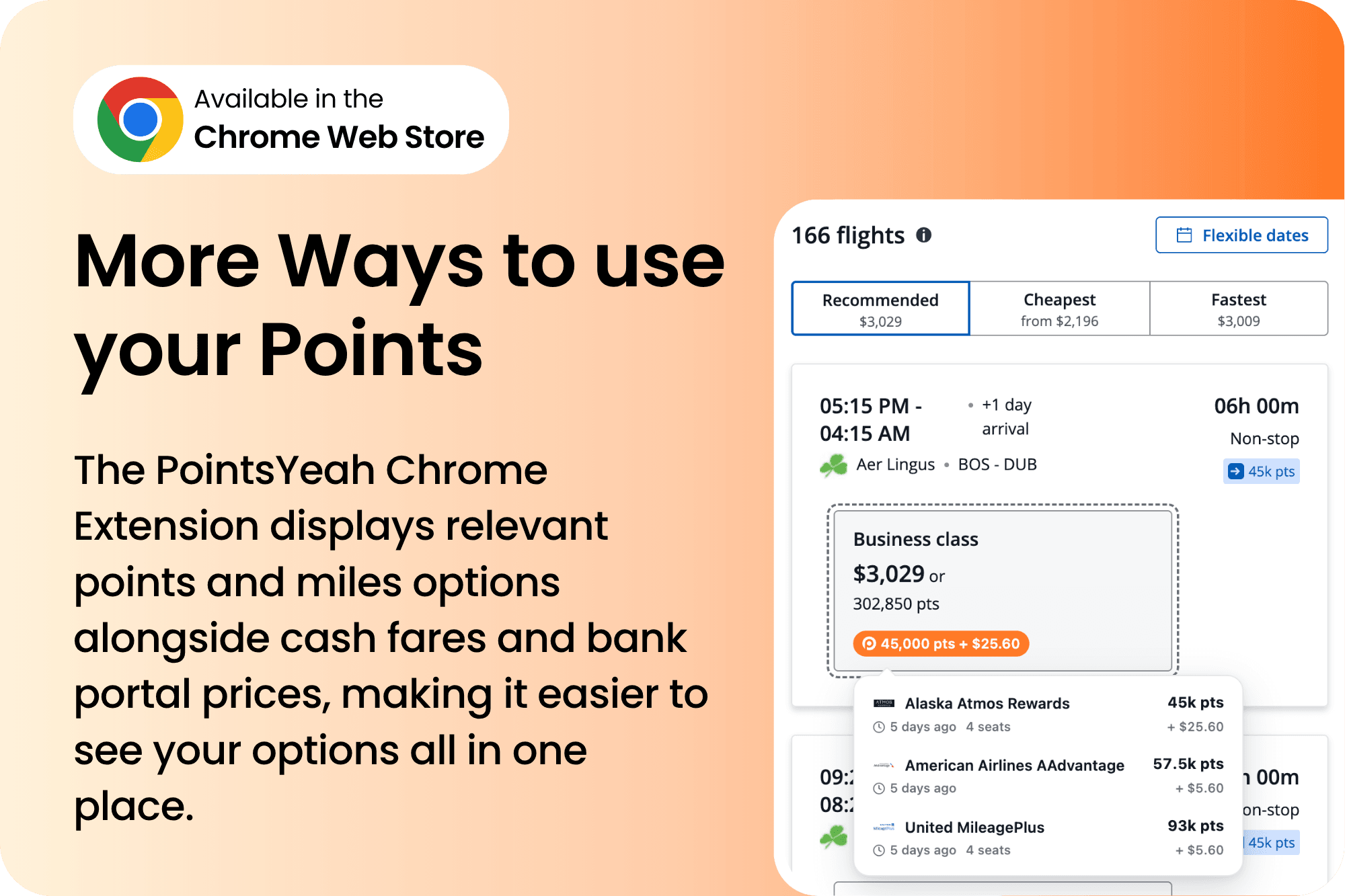
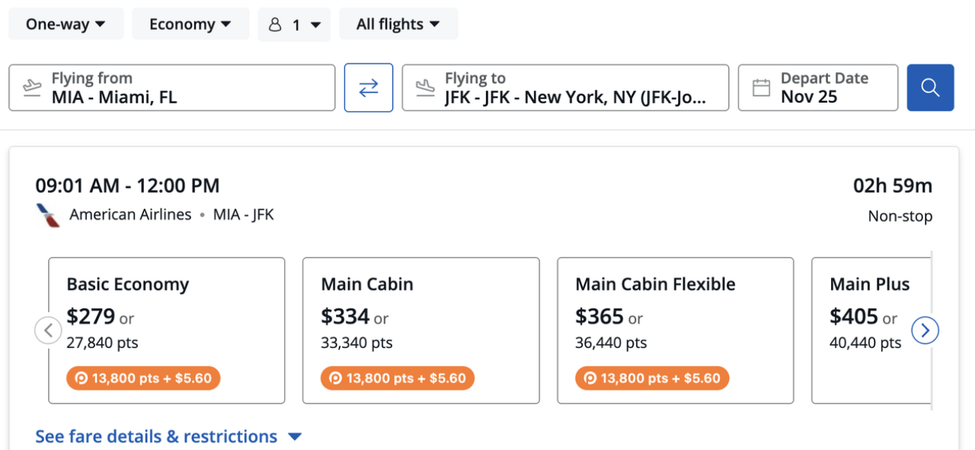
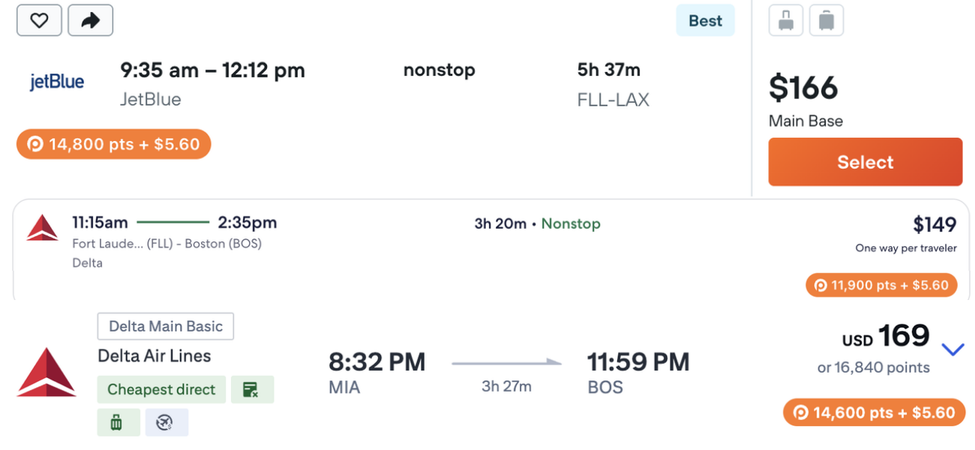
Simply search for flights on any supported website, and when PointsYeah finds a matching award flight, an orange badge appears alongside your results displaying the points price and applicable taxes and fees.
Hovering over the badge reveals more information, including which loyalty programs offer the flight, how many points or miles each requires, and how many seats are available when that information is provided.
See It in Action
See how the PointsYeah Chrome Extension brings award prices into flight searches across supported travel platforms.
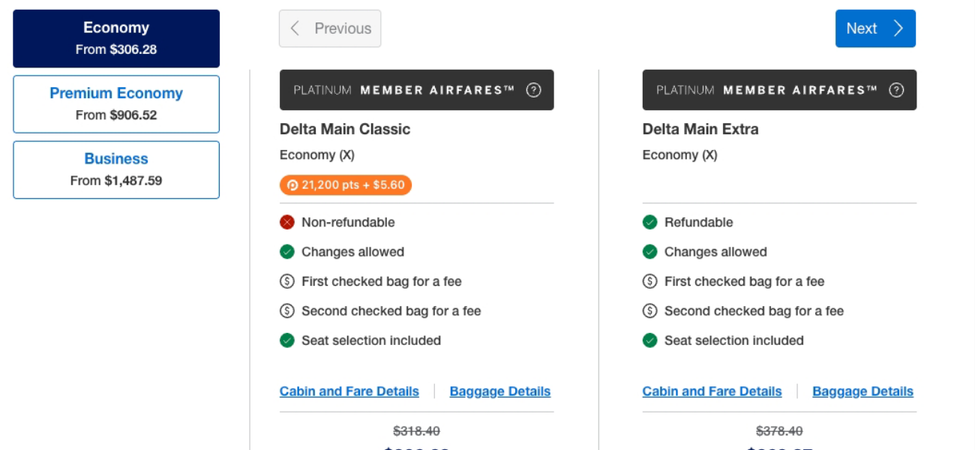
Amex Travel
Discover additional points and miles options alongside flight results and fare selections within Amex Travel.
AMEX TRAVEL
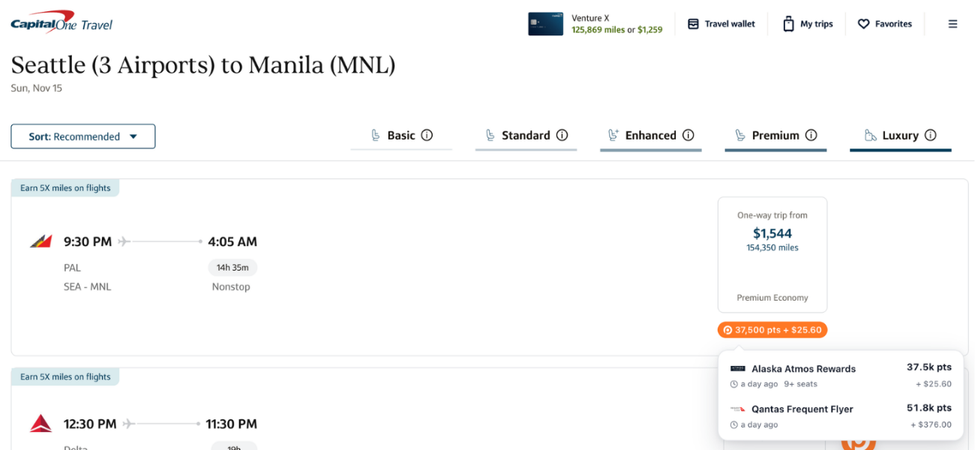
Capital One Travel and Capital One Business Travel
See airline award prices alongside cash fares and Capital One miles prices.
CAPITAL ONE TRAVEL
Chase Travel
Explore airline award options while browsing flights and cabin selections via Chase Travel.
CHASE TRAVEL
Citi Travel, Kayak, and Expedia
PointsYeah also displays relevant award prices directly within flight results on these platforms: Citi Travel, Kayak, and Expedia.
KAYAK
Find Award Options That Fit Your Preferences
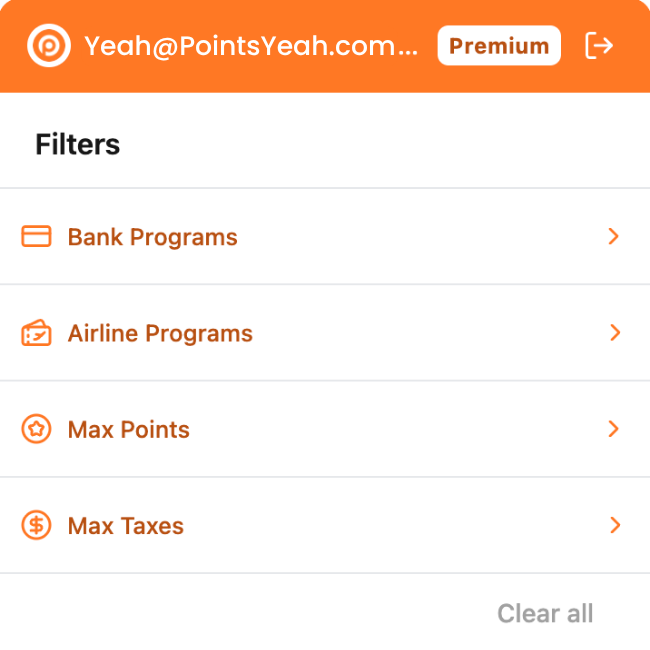
Looking for flights using a specific rewards program or trying to stay within a points budget? The PointsYeah Chrome Extension lets you narrow down award results using four filters:
Bank Programs: Filter award results by bank rewards programs.
Airline Programs: Select the airline loyalty programs you’d like to see.
Max Points: Set the maximum points or miles you’re willing to redeem.
Max Taxes: Limit results based on applicable taxes and fees.
POINTSYEAH CHROME EXTENSION
For example, you can focus on your preferred bank rewards programs or set a maximum points amount to find award opportunities within your budget.
Bring PointsYeah Wherever You Search
Ready to get started? Install the free PointsYeah Chrome Extension from the Chrome Web Store and sign in with your PointsYeah account.
Once installed, start searching for flights on supported travel websites and discover more ways to put your points and miles to work.